Nitya — Smart AI Personal Secretary

Remember what matters.
Follow up until it is done.

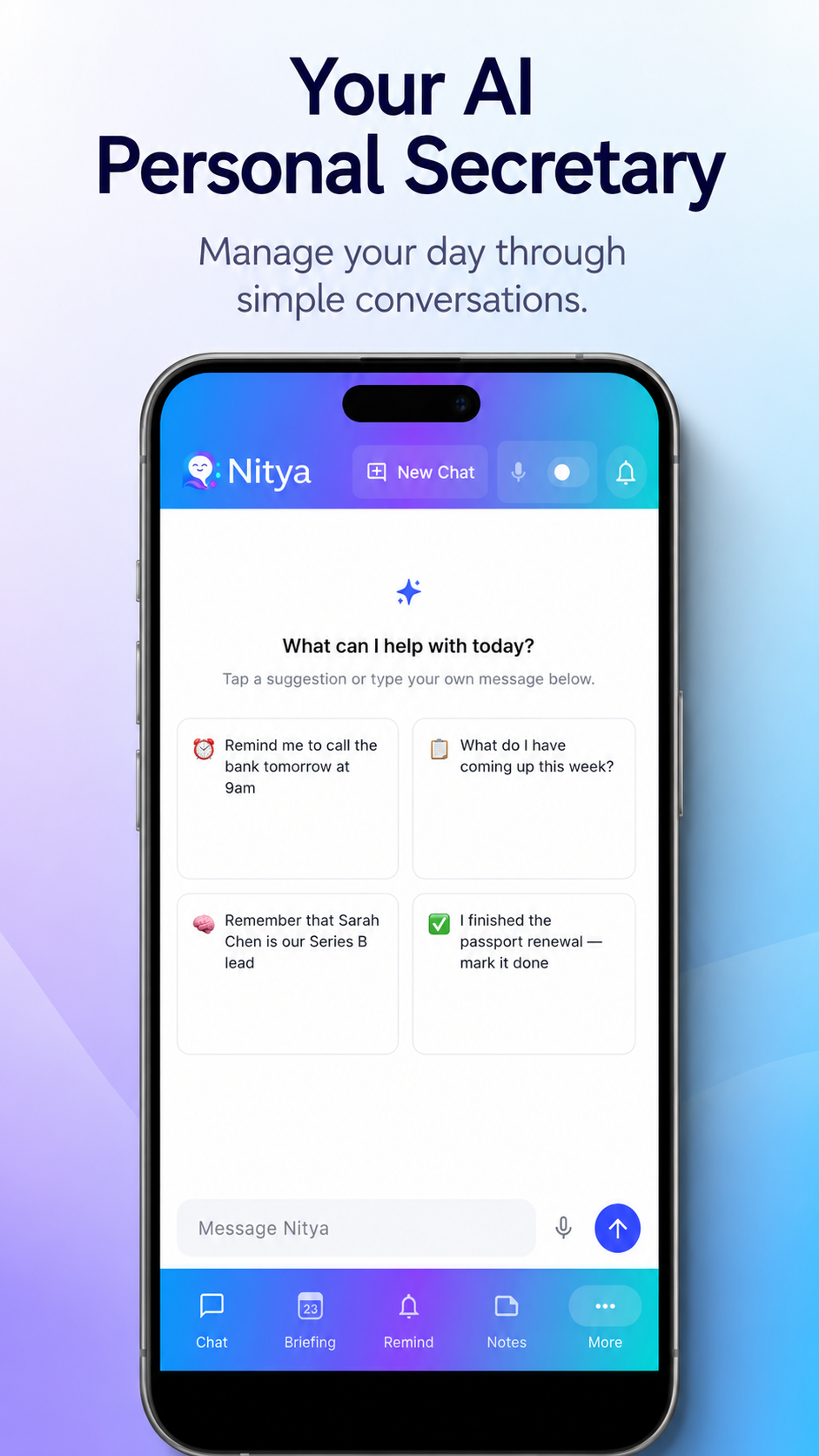
Nitya helps you manage reminders, tasks, notes, and daily priorities through simple voice or text conversations.
✓ Secure ✓ Private ✓ No subscription
Nitya AI assistant app home screen
One assistant, one place

Built to keep your day moving

Nitya combines conversation, memory, reminders, and proactive follow-up in a single productivity experience.

Smart reminders

Create reminders naturally and receive timely follow-ups for anything still pending.

Task management

Keep priorities, deadlines, and overdue work organised without complicated setup.

Notes that stay useful

Capture important information and find it later through natural search and conversation.

Daily briefing

Start with a focused view of what is due, what needs attention, and what should happen next.

🎙

Voice and text

Talk or type naturally. Nitya is designed to feel like a practical personal assistant.

Proactive follow-up

Nitya does more than save information. It brings unfinished commitments back to your attention.

Simple by design

Tell Nitya once. Stay on track afterward.

01

Say what you need

Use natural language such as “Remind me to call Arun tomorrow at 10 AM.”

02

Nitya organises it

The request becomes a task, reminder, note, or conversation based on your intent.

03

Nitya follows up

Receive reminders and follow-up prompts until the important item is completed or rescheduled.

Inside Nitya

A clear view of everything that matters

Every screen uses the same calm, consistent interface across conversations, tasks, reminders, notes, and briefings.

Never miss what matters

Smart reminders with follow-up

See what is due today, tomorrow, or this week. Nitya follows up automatically if you have not acted on a reminder.
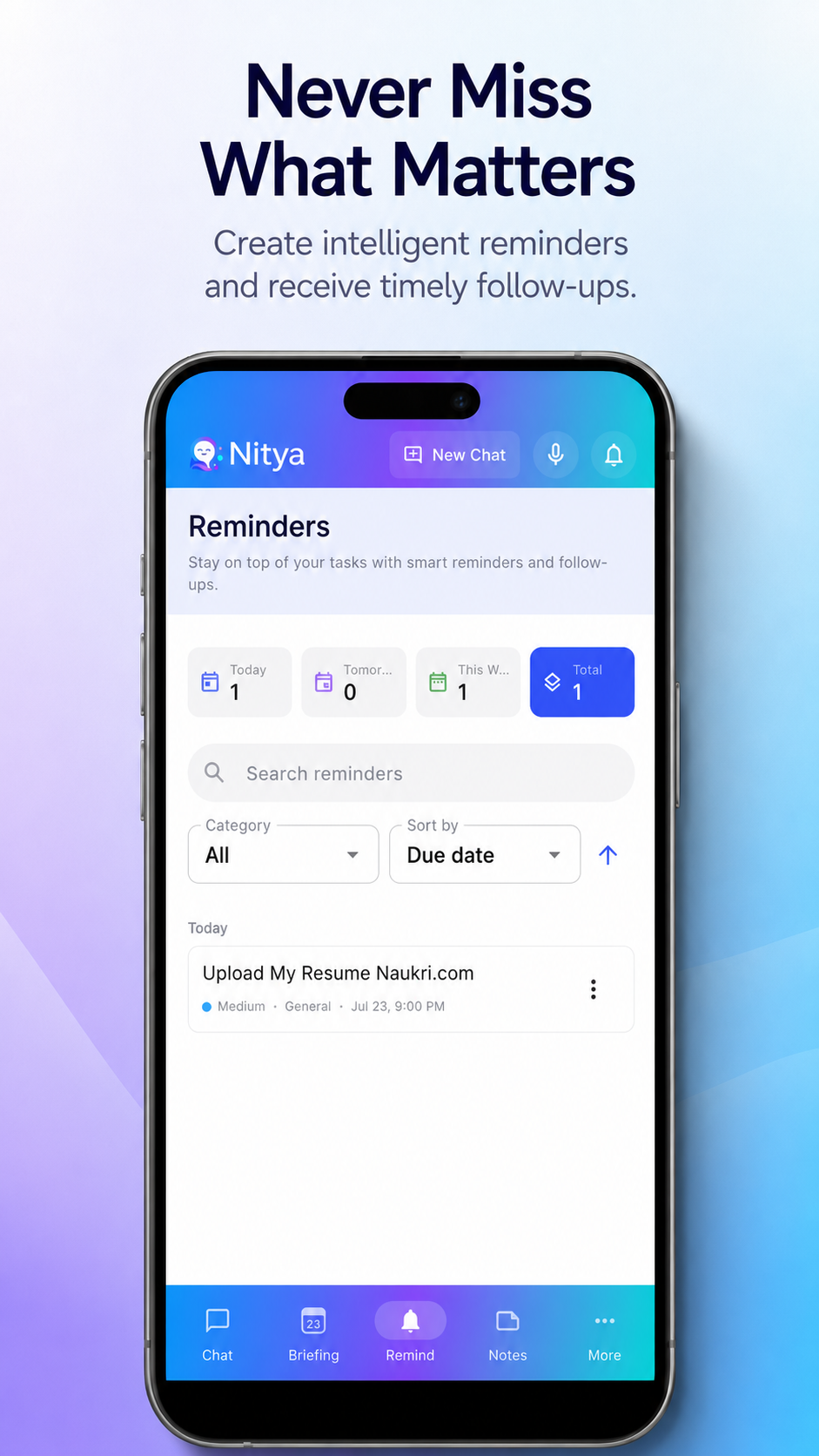
  • Natural-language reminder creation
  • Due-date filters and work-hours awareness
  • Escalating follow-up until done or rescheduled
Nitya reminders screen
What makes it different

Not just another reminder app

Most productivity apps save your items and wait for you to check them. Nitya actively works to close the loop.

It follows up, not just reminds

Most apps fire one notification and move on. Nitya escalates over days — a gentle nudge on day one, a firmer check-in on day three — until you act on it or tell Nitya to drop it.

💬

Conversation, not forms

Tell Nitya “remind me to send the invoice to Priya on Friday afternoon” and it creates the right item at the right time. No tapping through menus or picking date pickers.

Starts your day for you

Without you asking, Nitya surfaces what is overdue, due today, and coming up — so you begin each day with a full picture, not a stack of missed notifications to sort through.

Designed around trust

Your personal information should remain personal

Nitya’s experience is built around clear permissions, privacy-first controls, and transparent handling of reminders, notes, tasks, voice, and account information.
Private by defaultYour information is used only to provide your assistant experience.
Permission awareNotifications, microphone, and connected services require your approval.
In your controlManage, complete, archive, or delete your data from the app at any time.
Read our Privacy Policy →
Nitya assistant logo
Questions

Common questions

How is Nitya different from Siri or Google Assistant? +
Siri and Google Assistant respond to one-off commands and have no memory of prior context. Nitya maintains context across your conversations, remembers what you tell it, and — most importantly — follows up on reminders if you do not act on them. It also sends a proactive daily briefing without you asking. It is designed to be a persistent personal assistant, not just a voice shortcut.
Is Nitya free? +
Yes — Nitya is free to download and use. No subscription or credit card is required to get started. We may introduce optional premium features in the future, but the core assistant experience will always remain free.
Is my data private and secure? +
Yes. Your messages, notes, and reminders are encrypted at rest. We do not sell your data or use it for advertising. If you connect Google Calendar, we access it in read-only mode — Nitya can see events to avoid scheduling conflicts, but can never create, edit, or delete calendar entries.
Does it work without an internet connection? +
Core AI features require an internet connection. Your data is stored securely in the cloud so it is always available across devices. Push notifications fire even when you have not recently opened the app.
What languages does Nitya support? +
English is fully supported today. Nitya can often understand other languages through the underlying AI, but multi-language support is not yet officially tested or guaranteed. Expanded language support is on our roadmap.
When is the iOS version coming? +
We are actively working on the iOS version. Sign up below with your email and we will notify you the moment it is available — no spam, just one email when it launches.
Available on Android

Download Nitya free today

Free to download. No subscription required. Start managing your day with Nitya in minutes.

▷ Download on Google Play

🍎 iOS coming soon — get notified when it launches: